Web edition: official website
You can start playing immediately from the official game site without installation or registration.
ORIGINAL CARD GAME
Daifugo × deception — discard, draw, bluff, and catch your opponents cheating

In Daifugo, the first player to empty their hand wins. Magicians Daifugo keeps that clear objective while turning normally illegal card manipulation into an official part of the game.
Strong cards alone do not decide the match. Secretly discard an unwanted card, draw from the deck to reshape your hand, or challenge another player's suspicious action. Observation and timing matter on every turn.
Opens magicians-daifugo.cybergomoku.com. No installation or registration required.
Magicians Daifugo is available on its official website and GamePix. Both editions use the same Daifugo, cheating, and challenge rules.
You can start playing immediately from the official game site without installation or registration.
Choose from about ten interface languages, including English.
The GamePix button opens an external gaming platform in a new tab.
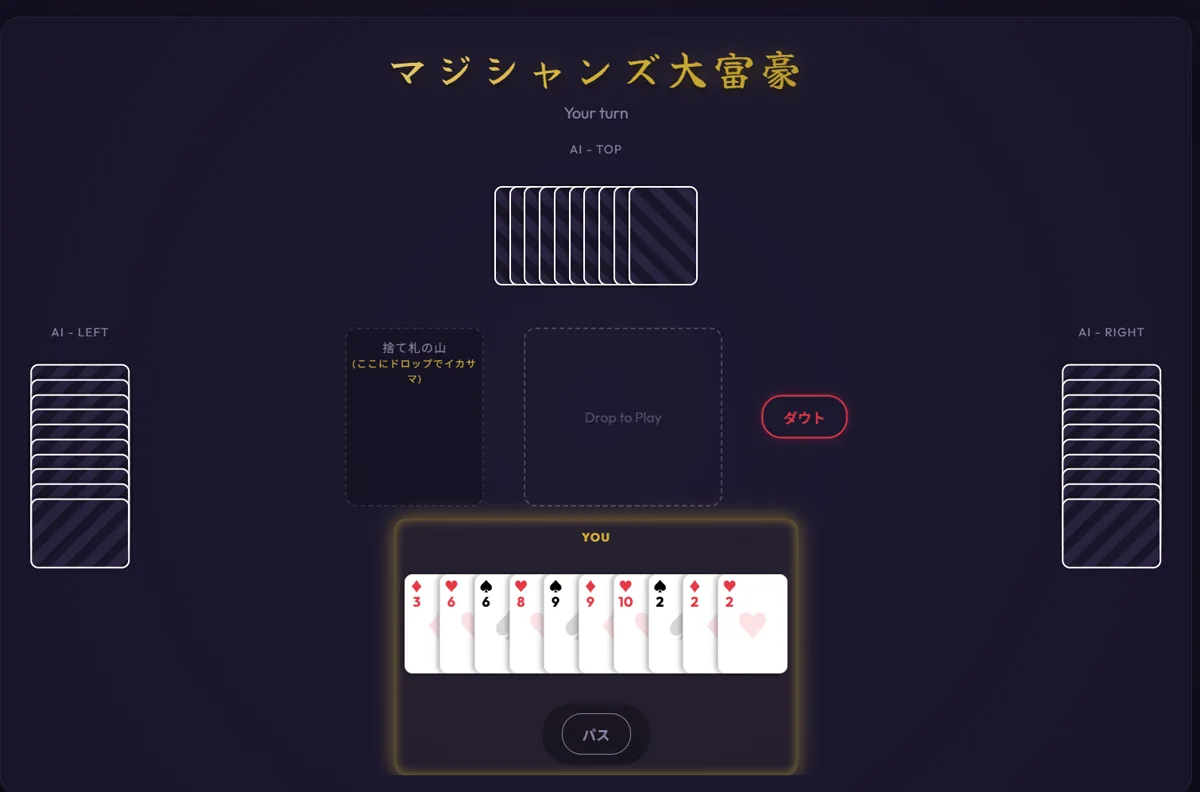
Choose a legal combination stronger than the current play while planning which cards to save for the endgame.
Move cards to the center for a normal play. Pass when you cannot—or do not want to—beat the current combination.
Secretly dispose of a card here. Success reduces your hand, but an opponent may notice the action.
Challenge a player when you believe they cheated. Every opponent's turn becomes something worth watching.
Start by identifying legal plays that reduce your hand. The classic Daifugo decision remains: remove weak cards early or preserve them as part of a multi-card combination. Focusing only on cheating can leave obvious legal opportunities unused.
A secret discard can rescue a difficult hand, but obvious timing attracts suspicion. Compare the current play, everyone's remaining card count, and the combination you want next before taking the risk.
You cannot see an opponent's hand, but changes in card count and the timing of an action provide evidence. Watch for an unexplained decrease or unusual movement toward the discard pile, then decide whether a challenge is worth the risk.
If you already know Daifugo, focus first on the extra discard area and the challenge mechanic. New players can begin with the basic rule: beat the current play and empty your hand before everyone else.
You can play for free. No app installation or account registration required.
You can secretly discard or draw cards, while opponents can challenge suspicious actions. Watching other players matters as much as managing your own hand.
You can play games against AI players. The number of cards in each AI's hand is displayed on the game screen.
Compatible with PC and smartphone browsers. Cards are operated by selecting and moving them on the screen.
It supports approximately 10 languages including English. You can select the display language in the GamePix version of the game.